Log in


On August 31, 1976, a fund manager named John Bogle launched a product that made him the laughing stock of Wall Street.
His new fund made no attempt to beat the market. It simply bought every stock in the S&P 500 and held on. There were no star stock pickers, no fancy research department, no human judgment of any kind. His underwriters hoped to raise $150 million. They ended up with only $11.3 million for their radical idea, so little that the fund couldn’t afford to buy all 500 stocks.
Searching for a name, Bogle was leafing through a book of British naval battles an antique-print dealer had given him, and stopped at the flagship Nelson sailed to victory at the Nile: HMS Vanguard.
A poster made the rounds of Wall Street trading floors at the time: “Help stamp out index funds. Index funds are un-American!” The chairman of Fidelity declared that investors would never settle for merely average returns.
You probably know how this story ends. The index fund became the most successful investment product in history. Months after Bogle died in January 2019, index funds passed actively managed funds in America for the first time. Today, roughly half the money in US stock funds is indexed.
The critics were proven wrong. Except for one thing.
An index fund guarantees you the average, which means it also guarantees you’ll never beat it. Bogle never denied this. His whole argument was that for most people, most of the time, average is a great deal.
Fifty years later, that old debate has reemerged, but this time for your mind. Because an index fund for human knowledge just launched, and you’re probably already invested.
We call them large language models.
“Alpha” for knowledge
There is a concept known as “alpha” in financial markets, which is defined as “the return your investment earns beyond what the market gives you for free.”
If you put your money in an index fund, you know you can reliably earn an approximately 7% return each year. That 7% is “what the market gives you for free.” It’s a baseline expectation against which all other returns are measured.
Any return on your investments you achieve beyond that baseline is your alpha – the surplus performance above the average of everyone else in the market.
You may never have conceived of information as a market, but it absolutely is. You invest your time, attention, and effort into collecting, organizing, and utilizing information, and you expect a certain return on those investments, whether that’s measured in income, business results, creative fulfillment, or social status.
Information is a market, and AI has already reshaped that market. It has “repriced” many kinds of information that were once expensive, and are now suddenly cheap. And vice versa, some kinds of information that were once cheap have suddenly become very expensive. In this piece I’ll identify which kinds of information fall into each of these categories, and how you can invest in the one going up and to the right.
LLMs are trained on billions or trillions of examples of human thought and language, and they are designed to give you the most statistically likely answer drawn from it. That is, the most plausible, predictable, median answer. In exactly the same way that an index fund delivers the most plausible, predictable, median return on your investment.
They’ve given us broad, passive exposure to the market average, but at the cost of suppressing upside (this idea was inspired by Venkatesh Rao’s piece LLMs as Index Funds).
For many people, to be clear, this represents a significant improvement compared to what they were doing before. Remember that index funds outperform more than 90% of actively managed mutual funds long term. The “average” return is pretty good! It’s also low risk, highly reliable, and doesn’t require much ongoing effort.
Working with an LLM is therefore much like “buying the market” – the decisions you make under Claude’s influence will tend to be average decisions. The search results you get back from Perplexity will tend to be average results. The slide decks you make with Gamma will tend to be average presentations. The documents you create with ChatGPT’s help will tend to be of average quality.
Which starts to point to some of the pitfalls inherent to this kind of passive investing in information markets. You reduce your exposure to surprise and serendipity. You become more efficient at exploiting existing insights, but less capable of finding new ones. Your own thinking, unavoidably shaped by the text you consume via an LLM, mirrors its standardized shape.
What might it look like to go beyond the average and seek above-market returns on your information? To seek alpha, that is, the surplus value of originality? I have four suggestions for you:
- Move upstream
- Hunger for detail
- Seek disorder
- Become more outcome-oriented
Let’s talk about them in more detail, and then move on to their practical implications.
Move upstream
Envision your personal information flow as a supply chain: you are one node in a long chain that takes “raw information” and processes it step by step into finished products.
Like any supply chain node, you have upstream suppliers – all the sources you consume information from, including authors, media outlets, TV channels, social media accounts, YouTube channels, podcasts, etc. The same way an automaker sources from a steel manufacturer to make cars, you acquire your raw informational inputs from someone else.
You also have downstream customers – all the people, groups, businesses, organizations, etc. who consume your information output – your children, who consume your worldly wisdom (if you’re lucky); your spouse, who relies on your judgment; your friends and neighbors, who might consume your opinions, jokes, advice, hot takes, sports predictions, or really anything else that comes out of your mouth.
At work, your downstream nodes include not only your employer, but also your colleagues, managers, subordinates, customers, and anyone else you advise, report to, influence, or communicate with.
Using this supply chain metaphor, there’s a clear direction that we should move in response to AI: upstream.
That’s because the further downstream a piece of information is, the easier it is for AI to replicate. If you have a finished piece of writing, for example, LLMs can do almost anything involving the “last mile” of its supply chain:
- It can polish the wording and grammar
- It can suggest new examples or supporting citations
- It can translate the text into a new language
- It can make the language simpler, or more complex
- It can add illustrating visuals or metaphors
- It can convert from one format to another (from text to audio, or imagery to video, etc.)
What it can’t do is the upstream steps: coming up with an intriguing frame, proposing a counterintuitive argument, asserting a novel point of view, finding an obscure opening story. AI works well when it has raw material, in other words. But it has trouble gathering and framing the raw material in the first place.
What it means to “move upstream” is different for everyone.
If you are an analyst writing research reports, how can you move closer to the original source of the information you incorporate? Instead of relying on published Gartner research, for example, can you seek out more niche or obscure researchers, or even do your own research in the field?
If you are an artist making paintings, where do the seeds of creative breakthroughs come from? For my father, a lifelong prolific painter, it came from sermons at church, from modern art museums, and from traveling. As a result, he spent a lot of time immersing himself in those upstream environments.
To understand what it means to move upstream in your field, you first have to understand where your best information comes from in the first place. We’ll revisit that soon.
The important thing to understand for now is that information markets undergo a cycle where new and surprising information gets inexorably absorbed and neutralized. What once felt novel and surprising becomes boring and outdated, thus crashing its value. Information is perishable – there is a time limit to its usefulness.
AI is now accelerating that cycle from years to months to weeks. LLMs are continuously consuming alpha and flattening it into beta. By moving upstream, you’re giving yourself the best chance of staying ahead of that breaking wave.
Hunger for detail
I have a strong opinion about what makes quality writing, or any other output: details.
Details are the very heart and substance of human communication, creativity, and productivity. It’s the footnote in a research report that calls into question the main conclusion. The precise choice of words and tone a manager uses to guide someone without belittling them. The small sensory details in a story that no AI has ever experienced. Nearly all the value lies in the nuance and specificity.
The devil’s in the details, and so is god, and so is everything in between. This is obvious when you consider what’s left if you remove all the details: you have a grey goo, an undifferentiated mass of perfectly generic and interchangeable stuff.
That’s exactly what AI produces most of the time: a grey goo that’s been stripped of all details. And this isn’t by accident, or a design flaw that will soon be fixed. Stripping out details is, in fact, the central function of AI.
When you ask AI to summarize your meeting notes, what is it really doing? It’s deleting details. That’s what it means to summarize something, after all. There’s no way to summarize anything without deleting most of the details. And everything AI does is summarizing: doing online research, compiling notes, distilling takeaways from a document, giving you a daily brief of your calendar, etc. Every one of these actions involves distilling a large amount of information to arrive at a smaller amount.
AI not only compresses your specifics into generalities, it also expands your generalities into even more generic ones. It deletes your details and substitutes them with the average of everyone else’s.
To counteract this, you have to hunger for detail. You have to go out and hunt it down like a predator seeking elusive prey. Once you find it, you have to capture that prey and keep it alive, writhing and kicking and screaming, so you can feed it live into the hungry maw of an AI machine. In other words, you have to insist, and keep insisting, that the AI not destroy the details you’ve so painstakingly gathered from the outside world.
The best details to collect are the ones that:
- Aren’t part of the AI’s training data
- Aren’t easily found via a search engine
- Aren’t part of mainstream publications
- Haven’t been documented or digitized
- Are drawn from direct interaction with the real world
Reality has a surprising amount of detail, so the more you desire that detail, the closer you have to get to reality, not abstract representations of it.
This is why, when I take notes, I always try to preserve the exact words that the original source used. Instead of, for example, rewriting them in my own words. I always want the most raw, unfiltered version of an idea possible. Not only does this make it easier to trace and cite my sources, it also means that I’m removing as many layers of translation and abstraction as possible between myself and the external world. Even if that external world is just another person.
Seek disorder
Much of humanity’s history with information has been about reducing disorder. We invented countless formats and tools over the millennia to do it – from standardized typefaces to filing cabinets to chaptered novels.
But as I’ve written about previously, there are surprising benefits to not only disorder, but its close cousins chaos, noise, randomness, and messiness, because it is in these phenomena that surprise lives.
And surprise is the very essence, the most essential ingredient, of alpha. Unless a piece of information is surprising – that is, counterintuitive, contrarian, unconventional – it can’t be the basis of above average returns, because it’s already priced in.
This means that the threshold for how orderly our information capture systems should be has lowered. In other words, the “right” amount of organizing, labeling, tagging, sorting, linking, etc., that we can justify investing in our knowledge bases is significantly less than it was just a few years ago.
That’s because the potential of our information is no longer unlocked by making it more orderly and neat. It’s unlocked by amplifying serendipity and surprise. The alpha is in the mess.
As I’ve written about before, messes have some surprisingly powerful benefits. They are more flexible and adaptable, more wide-ranging and comprehensive, more open-ended and diverse, more resilient and easier to maintain, and better at facilitating serendipitous connections compared to rigid, highly ordered systems.
These benefits were merely academic before AI, because as humans we couldn’t make sense of the mess quickly enough to draw out the gems of insight. We required order to overcome the limitations of our perception.
But that’s all changed now: there’s no longer any need to meticulously organize information anymore. AI is the ultimate, most diligent and meticulous librarian ever, able to reorganize your collection of notes in minutes according to the task at hand, even if you just thought of that task two minutes ago.
You don’t need a folder hierarchy 7 layers deep or a perfect taxonomy of tags or an elegant knowledge graph – only some loosely organized collections of messy notes that you can point an LLM at (such as with my PARA method). As long as you’ve captured something and there is a signal in that noise, the AI will find it.
But AI can’t follow you into the noisy, chaotic periphery of reality, which means that is exactly where you must go. It can’t intentionally seek out randomness as a creative tool from beyond the limits of rationality. You must act as an agent of directed chaos, seeking new and unorthodox sources, perspectives, and influences that no LLM could come up with.
Become more outcome-oriented
When I think back to my decade-plus of experience teaching people how to overcome the scourge of information overload, the true answer isn’t organizing methods, capture tools, conceptual frameworks, or specialized software.
It’s a mindset and behavioral shift: to become more outcome-oriented. This point is inspired by Cedric Chin, who has found much the same.
When you put on an outcome-oriented lens, the world you see through it looks completely different. Using specific, concrete outcomes as your filter, rather than being overwhelmed by an overabundance of choices on every side, you’ll suddenly see that there are hardly any good options available.
For example, if you are learning how to code, one Google search will instantly inundate you with more information than you could consume in a lifetime. Turning to social media will dump even more on your lap. You can’t “learn to code” in any tangible sense. It’s far too broad, encompassing too wide a range of possibilities.
But if you decide you want to make an app to track your blood sugar on your phone, now you’re in a different world. When you focus on producing such a specific outcome, the available paths narrow dramatically. That is what you want, because now you don’t have to make as many choices. Doing a Google search will just yield SEO-optimized junk. Social media will be of no use whatsoever for something so narrow. Now the options you have to consider have collapsed to almost nothing. Great!
Now you have to go on the hunt, seeking out obscure niches and subcultures and people who share your interest. These people and places won’t be highly visible, since they’re not optimizing for engagement nor trying to monetize a huge audience. And that is exactly why they serve as powerful filters, pointing you to the few sources that matter. As you go deeper and deeper into any niche, the number of sources that are considered high quality and essential shrinks, further improving your ability to choose between them.
Turning our attention back to AI, where the problem of information overload is especially acute, becoming outcome-oriented is even more important. Pick a single, small project as your learning vehicle: make a habit tracker, or a to-do list, or a widget that reminds you of your appointments for the day.
By picking such a concrete, tightly scoped, near-term goal, you can ignore at least 99% of all the AI content out there: all the hot takes, industry analyses, doomer and utopian predictions, trending memes, cults of personality, and random demos of tools that aren’t relevant to your next step. Even among the content that’s relevant, you can further filter out anyone who’s pushing hype, who isn’t credible, or whose approach doesn’t apply to you.
Outcome-orientation is another way of describing what experts in a field do. They aren’t seeking to build merely abstract understanding – they are looking for functional understanding in order to solve the tangible problems they face.
The way to start doing this is quite simple. For every single piece of content you consume, you first ask yourself, “What is the outcome I am trying to achieve here?” You don’t have to come up with any particular answer. An outcome of “It’s fun” is just as acceptable as anything else. But you must at least consider the question before proceeding. By asking this question, you will naturally increase your awareness of why you consume what you do, which is the whole point.
I can provide no better examples than Chin does in his piece (I’ve bolded his answer to the question in each one):
- “I am listening to a podcast while doing house chores and 15 minutes in, I ask myself, “what is the outcome I am trying to achieve here?” The answer is: nothing, the one morsel of information that I wanted from the podcast I got at the 10 minute mark, and it appears it’s all downhill from there. So I stop, and proceed to do the rest of my chores in silence.”
- “I find myself scrolling X mindlessly at the end of a long day. I open the compose box. Before I post, I ask myself: “what is the outcome I am trying to achieve here?” The answer is “I am posting because I am bored and want to get some attention/engagement.” This is ok, actually: under the rules of Outcome Orientation, I can carry on so long as I am honest with myself about the true reason for doing something. However, I admit that this is a bit lousy as a reason, and I have higher quality fun things I can do, and so I stop.”
- “I am watching a Jon Stewart video making fun of Trump. It’s just ok, not his best work. At the halfway mark I ask myself “what is the outcome I want here?” And the answer is entertainment. But there are purer forms of entertainment where I don’t have to engage my brain. So I stop and watch an episode of X-Men ’97 instead.”
In each of these examples, Chin isn’t forcing himself to conform to a rigid definition of what’s productive. He’s amplifying his awareness of why he’s making certain choices, and therefore, better aligning those choices with his true wants, needs, and goals.
AI has the effect of massively spiking our cognitive load. It’s always presenting alternative options, suggesting new steps it can take, and tempting us to run multiple parallel sessions to “save time.” This means that we have to be more careful than ever to put boundaries and limits on what’s allowed to occupy our attention, and outcomes are among the best filters out there.
What can AI NOT do with information?
Another way of deciding what information is worthy of your attention is to ask yourself “What can AI not do with information?”
This is a little different from the question “What kinds of thinking can AI not yet do?” because some of the answers you’ll arrive at lie outside what we’d normally consider “thinking.”
AI can’t curate information over the long term
Mainly due to a lack of long-term memory, AI cannot currently curate a collection of notes or ideas over long time horizons. It can do a quick web search, or summarize a collection of sources you’ve provided, or draw on external tools using connectors or integrations, but it can’t do what I call a “slow burn” – the slow, simmering collection of highly diverse bits of insight drawn from your reading and living. In other words, AI can’t be obsessed with something, only you.
AI can’t hold a strong perspective and stand for it
Fundamentally, AI has no perspective of its own. To demonstrate this, ask your LLM of choice to give its boldest, most opinionated stance on a subject. Then, ask it to take on and argue for the exact opposite perspective.
For humans, that kind of “steelmanning” is a sign of intellectual honesty and mental flexibility. But for LLMs, it shows that they have no skin in the game and will never take a stand for what they believe in regardless of what it costs. They are perspective generators, not perspective holders.
AI can’t tap into intuition, instinct, or emotions
With us humans, much of our intelligence lies outside our brains. We have intelligence embedded throughout our nervous system – this is why your hand knows to drop the scorching pot before your brain has even noticed it. We have intelligence in the lining of our gut – this is why we feel queasy when something we’ve eaten isn’t good for us, even as the brain remains blissfully unaware.
We have intelligence woven throughout our DNA from countless generations of ancestors – all their lessons and mistakes etched into us as subconscious survival instincts. All these forms of intelligence remain out of AI’s reach, but they remain accessible to us in the form of interest, inspiration, curiosity, excitement, and resonance.
AI can’t use spatial reasoning
Another potent form of intelligence that we have unique access to is spatial, kinetic, and embodied intelligence. We think within and through physical space, using our bodies as tools for thought in three-dimensional space. We can literally move things around, and place them beside or within or on top of each other, and walk around them to see what new relationships emerge. This requires us to leave the domain of the computer, the AI’s native territory where it increasingly reigns supreme, and bring our ideas into the physical realm through handwriting, drawing, sketching, movement, dance, music, and making tangible objects.
AI can’t draw on its biography
Quality work emerges from the exquisite specificity of a life – the texture of the fabric lining the coffin at your grandmother’s funeral, the moment of searing heartbreak as a great love ends, the intricacies of the childhood wound that gave you your drive to succeed. AIs have no such history to draw upon. They have every history, any history, the average of all histories. The “limitation” of only having lived one life is now your most powerful creative source. Now is the time to double down on your singular life experience.
AI can’t consider the costs of any given direction
AI tends to be blind to the costs of any given direction because it never has to pay the costs or feel their impact. When it casually suggests building a dashboard to track your health, it ignores all the work that will be required to gather all the data, to check and verify it, to keep it updated, to interpret it, and most of all, to act on it and make tangible changes to your health. Everything is easy and effortless to an AI, which means it falls to you to consider the costs. And there are so many: not just time, energy, and money, but also opportunity cost, cognitive load, emotional impacts, social risk, and irreversible consequences.
AI can’t see what’s missing
AI tends to assume that whatever information it has access to is all the information available. It functions in a closed loop, always doing the best it can, as its system prompt instructs it to do.
I notice this especially when using connectors. If half of your information for a given project lives in Notion, and the other half in Google Docs, but Claude only has access to one of them, its conclusions and recommendations will be worse than if it had access to nothing at all. Paradoxically, the more context you provide it, the more dangerous any remaining gaps in its context become.
And there are always gaps, which means AI always has blind spots, and even tends to amplify those blind spots by constructing elaborate arguments and plans on top of them. It falls to you to see through that castle made of sand. What are the facts that haven’t been considered? What are the questions that haven’t been asked?
AI can’t stay rooted in reality
Humans have a natural tendency to delusion. We construct mental models and then aggressively filter out any information that contradicts them. Luckily, we also have feedback loops and accountability mechanisms we’ve built into human society to keep our conspiracy theories in check.
AIs lack such cognitive safety mechanisms. They treat everything you say as 100% factual, and everything they themselves think as 100% factual, and those two delusional realities combined and multiplied easily lead to fabricated worlds where everything makes sense and looks consistent, yet has no relationship with reality.
Especially when the outputs of one prompt feed the next, or you have an agentic harness iterating across multiple steps, or /loops running toward /goals, any small error gets rapidly compounded into a monument to insanity. You have to be the tether back to reality. What unseen assumption lies at the heart of the AI’s reasoning? What seemingly plausible consensus is in fact wrong?
AI can’t be with felt doubt rather than manufactured certainty
AI tends to drive toward clarity and neat distinctions. That is useful in many situations, but it also masks a weakness. Sometimes, clarity is not needed or helpful. When a situation is inherently uncertain, insisting on certainty doesn’t magically reveal the truth out of a thick fog. Instead, it tends to downplay uncertainty and shove it aside. Which doesn’t make the uncertainty go away – it makes it fester, metastasize, and become something more sinister and damaging. There is value in being willing to just be with ambiguity. To restrain yourself from forcing reality into defined, familiar shapes.
What makes it hard to fully embrace all of these “alternative” forms of intelligence is that they are considered “low status.” It’s low status to patiently obsess over and curate a topic, to earnestly take a stand for a point of view, to rely on our emotions and intuition, to express ourselves physically, to care about history, to doubt and question rather than stride confidently forward.
The high-status kind of thinking has long been left-brain, abstract, intellectual reasoning rooted in the prefrontal cortex, and expressed through bold, decisive action. The kind our highest-paid professions engaged in, like software developers, doctors, CEOs, and lawyers.
That is now the cheapest and most freely available kind of intelligence available. Its price is crashing, and with it the entire status hierarchy that depended on it. There are few things more challenging for humans than moving from high-status to low-status behaviors, but that is what is required to leverage AI’s power.
Changing your information consumption and capture
Now let’s get more practical and talk about what all of this means for your personal, daily content consumption and capture habits.
What you shouldn’t consume
First, it’s quite clear what information has plummeted in value and is no longer worth much human attention:
- Derivative or recycled content: If content feels repackaged or summarized, that’s a sign that it’s way downstream in the information supply chain. It’s predigested, like a can of SPAM, and stripped of the raw nutrients (i.e., details) you need.
- Engagement or algorithmically-optimized content: If it’s designed to hook your emotions, keep you “engaged” at your expense, or go viral on algorithmic feeds, then it’s designed to advance someone else’s goals, not yours.
- Listicles & SEO-optimized content: Content designed mainly to rank in search engines has been bad for a while, but with the rise of AIs that can search the web and report those results back to you, there’s truly no reason for humans to consume it.
- Hot takes and flame wars: Many public spaces on the Internet have become war zones of exaggerated opinions, and it doesn’t add value to your life to agitate yourself fighting unwinnable battles with total strangers.
- Short-form videos: Short-form videos can hold some value if they give you access to a unique story or human perspective, but these platforms are so addictive that you have to be careful and use them in moderation.
Notice that I don’t list “AI slop” as a category for a couple of reasons. The first is that there has long been enormous amounts of “human slop” flooding the internet. Slop isn’t unique to AI, so don’t think that just because something was created by a human, it’s good.
The second reason is that AI-generated content is getting increasingly good. There are more and more examples of artists using it thoughtfully, tastefully, as a complement to their creative vision instead of a substitute for it. Don’t throw the baby out with the bathwater.
The deeper point is to avoid consuming information that lacks any alpha, whether it was created by a human or AI. Don’t spend your scarce time consuming content that has been completely commoditized and squeezed of every last drop of novelty and insight. That kind of content is like a junk investment, unlikely to ever return any value to you. A waste of your one precious life.
What you should consume
These are the kinds of content that are increasing in value under AI’s influence:
- Timeless knowledge: Any wisdom that AI hasn’t changed is increasingly valuable because it points to something deep in human nature or physical reality that is likely to endure. Look for it in old, classic books that have stood the test of time, rather than anything produced in the last day or week. This is like long-term “buying and holding” versus trying to time the market.
- Perspectival knowledge: A term popularized by cognitive scientist John Vervaeke, this includes knowledge that comes from an embodied, situated viewpoint. You can find it in niche communities and accounts of the world from unusual points of view. An indigenous view of modern science, for example, offers a unique point of view even if it’s not strictly true.
- Novel knowledge: LLMs have a cutoff date, beyond which they cannot see as easily. Which means anything more recent than that date – the most recent findings in a field, consensus reached through live conversation, the frontier of a discipline – are disproportionately valuable now. For any given topic, you are either behind the curve, being influenced by it, or ahead of the curve, doing the influencing. AI is increasing the leverage of being early.
- Private, personal knowledge: LLMs don’t know anything about you beyond what you’ve given them, which means your personal life is a self-contained world of potential insights for AI to draw on. Your health history, your financial data, your relationship history, your lessons learned, your stories, and memories. These carry the signature of your unique life.
- Primary sources: The value of primary sources is increasing because they contain the earliest seeds of new information that hasn’t yet been priced into the information markets. Raw transcripts, original research, and first-person accounts – these often require effort, since by definition they haven’t been summarized or digested for you by others.
- Trusted human judgment: The judgment and opinions that only come from domain expertise are rising rapidly in value. Not only because it cannot be replaced by AI, but also because AI greatly increases the leverage you can apply to that expertise. All the downstream steps of turning that expertise into a product, service, or solution have been commoditized, making the initial input much more valuable.
- Emotionally resonant knowledge: There are some kinds of information whose value is destroyed by summarization. Seeing a highlight reel of my favorite movie in no way substitutes watching it. Getting a bullet-point breakdown of my favorite novel in no way conveys its impact. Art and stories that provoke a visceral, emotional response in you tend to have this quality and therefore are rising in value.
- Long-form content: AI makes it so easy to crawl and extract only the key points from increasingly large bodies of information. This is increasing the rarity and therefore the value of time-consuming journeys through a vast body of work, where the time spent is the point. Situations where a deep understanding, not just the summary, are crucial.
This all points to first-person experience as the ultimate alpha. Your own direct interactions, fieldwork, conversations, and creative endeavors are where your tacit knowledge lives, and that is the knowledge that can never be written down or captured for LLMs to ingest. These can’t be consumed as content by definition – you have to go out and experience them.
Here are some tools you can use to make it more enticing, efficient, and enjoyable to consume this kind of content:
- Read ebooks: they save money and space compared to printed books and allow you to easily save unique details as highlights with the swipe of a finger (which can then be synced to your notes app for feeding to LLMs using a service like Readwise; if you prefer paper books, their mobile app also allows you to take photos of printed pages and capture excerpts from them as digital notes)
- Read blog posts, including on Substack: they tend to incorporate relatively recent developments, and are more thoughtful and substantive than what you typically find on social media
- Use a read-later app: introducing a time gap between the moment you first come across a piece of content and when you decide whether to consume it works wonders. I save everything I want to consume, whether text, video, or audio, to Reader and, when I come back to it hours or days or weeks later, usually find that half the items don’t deserve my attention at all. An excellent filter! Reader also automatically saves anything I highlight to my notes.
- Use an app to capture podcast transcripts: Snipd automatically captures an excerpt from any podcast you’re listening to, saving the audio, transcript, and a summary in your notes for safekeeping.
- Join niche groups and communities: the internet has made it easier than ever to join a community regardless of where you live, but it still requires proactive effort to seek them out. Invite-only Signal threads, obscure Discord servers, and private group chats are the equivalents of “private markets” for information, like venture capital or private equity. They are spaces where you can find alpha that hasn’t yet been commoditized by the public markets.
The idea is to read whenever you can, especially longer-form and more complex texts, and to carve durable building blocks out of what you’re reading, rather than just letting it wash over you passively. This approach (which is the subject of my book Building a Second Brain) leaves you with a curated collection of small text notes prioritizing what you personally found insightful, meaningful, resonant, or interesting – the perfect input to help AIs help you in whatever you’re trying to accomplish.
This is how you engineer surprise and serendipitous discovery into your content consumption routines. This is how you use your precious mental effort to consistently find alpha.
Prepare your mind
Louis Pasteur once said, “Chance favors the prepared mind.”
He was pointing to the relationship between order and surprise – that they are complements to each other. There is a certain way to prepare that makes you more open to surprise, more capable of adaptation, more flexible in your behavior, not less.
What does that kind of preparation look like? I wrote it in my book years ago, and it has stood the test of time: “The solution is to keep only what resonates in a trusted place that you control, and to leave the rest aside.”
Move toward what resonates. Move toward what you like. Move toward what you want more of and create just enough structure to get you there, no more.
But at a deeper level, I think the preparation that’s most needed is to prepare not just your tools, but your mind, as Pasteur suggested long ago.
Notice all the kinds of information and content I recommended above require one resource: cognitive effort. It takes real work to push through a long-form text, or to seek out original research, or to listen to someone’s unique perspective. You can’t do it when you’re exhausted, worn down, rushed, or caught up in fast dopamine loops. It requires unhurried time, mental spaciousness, and the luxury of investing your attention when you don’t know what the return will be.
And yet, at the same time as AI is making mental spaciousness more important and valuable, it’s simultaneously destroying the conditions that make it possible. The internet is increasingly made up of slop that delivers a quick dopamine hit without much substance. AI is increasingly optimizing ads, viral hooks, addictive interfaces, scams, and conspiracy theories. We’re like big game being stalked on the information savannah by increasingly predatory AIs that grow bigger, stronger, and faster by the month, while we stand still.
It’s thus harder than ever, but also more important than ever, to escape the reactivity loop – the treadmill of seeing something pop up in your email, on social media, or in an LLM chat window – and immediately interrupting what you were doing to redirect your attention toward it. Every time you do that, you’re training your brain to shorten its attention window, putting the longer-form content I’ve recommended further and further out of reach.
I see all my feeds flooded with the most fantastically complicated, elaborate “AI second brain” systems. Paradoxically, most of these systems that promise to reduce your cognitive load end up increasing it instead. They give you even more choices to make, more features to learn, more maintenance to perform. You’re left with even less mental bandwidth than before.
Returning to our economic lens, it’s crucial to understand a deep principle: value flows not to the most productive person, but to the person who controls the most scarce complementary asset.
If you look at the smartphone market, for example, Apple makes most of the profit in the entire industry because it controls the integration between hardware and software for its devices. That integration is the scarce asset that no one else can replicate.
What is the scarcest complementary asset when it comes to AI? It’s rare, unique, novel information – that is, alpha. Value will flow to those who have it, who control it, and most of all, who know how to reliably find more. In the past, you participated in society through raw cognitive labor. From here on out, it will mostly be about your ability to contribute novel information. And that depends mostly on the novelty and richness of your own information diet, sourced from your own suppliers.
Every answer you get from an LLM is the same as anyone else would get. Therefore, AI on its own cannot be the source of any sustainable advantage. If you want unique, differentiated outputs, you must provide unique, differentiated inputs. That is, you must supply your own alpha.
The future of humanity will not be about competing with AI to master the average. It will be about learning how to stand out against it.
Follow us for the latest updates and insights around productivity and Building a Second Brain on X, Facebook, Instagram, LinkedIn, and YouTube. And if you're ready to start building your Second Brain, get the book and learn the proven method to organize your digital life and unlock your creative potential.
The post Finding Alpha: What’s Worth Consuming in the Age of AI appeared first on Forte Labs.






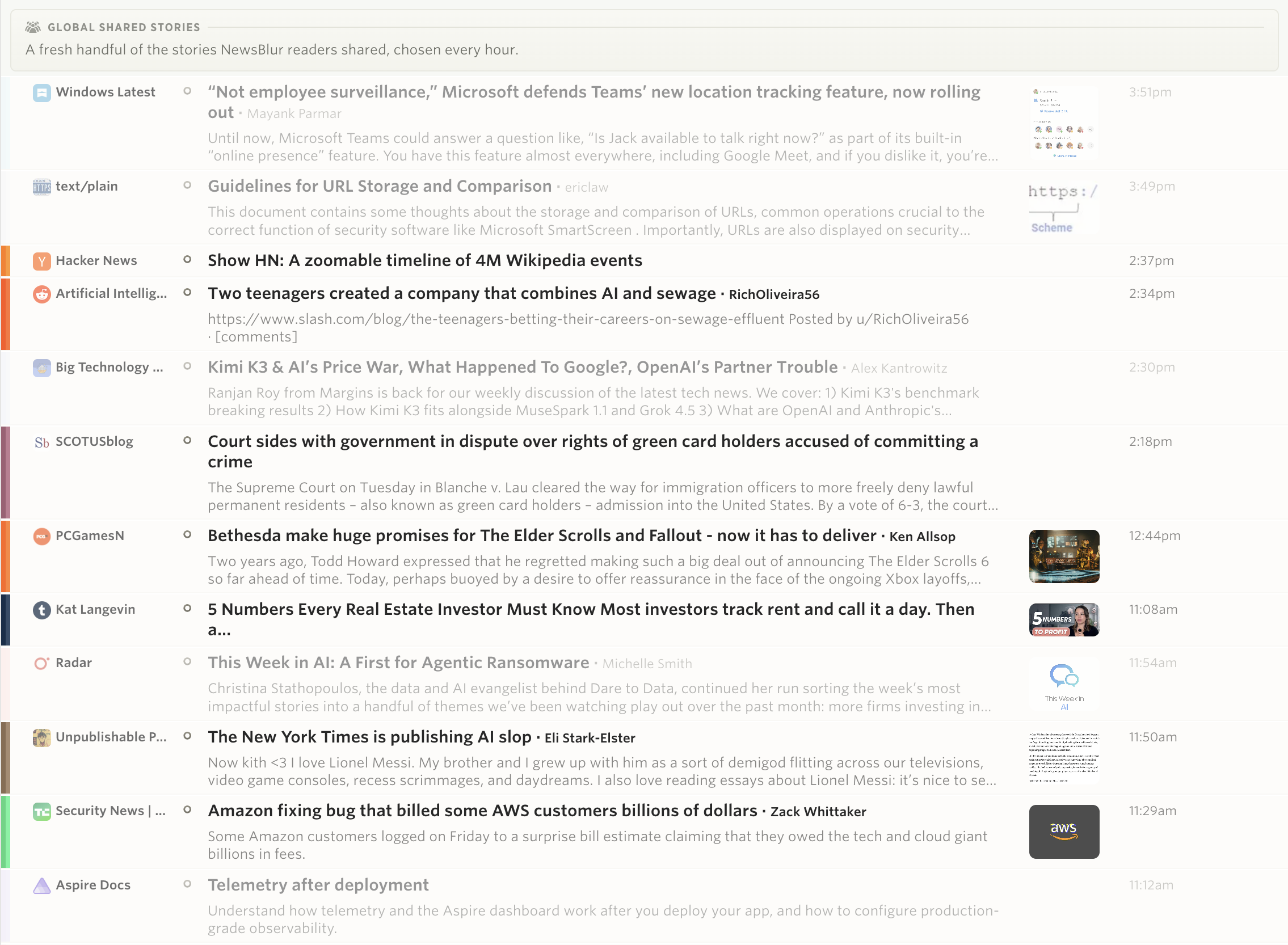
 Global Shared Stories asks what people chose to hand to someone else. It runs on sharing, a deliberate human act.
 Widely Read Stories asks what held the most attention across NewsBlur. It runs on reading time, not clicks, so a headline nobody read cannot buy its way in.
 Long Reads asks what was worth an afternoon. Features and essays that readers gave real time to, rather than skimmed.
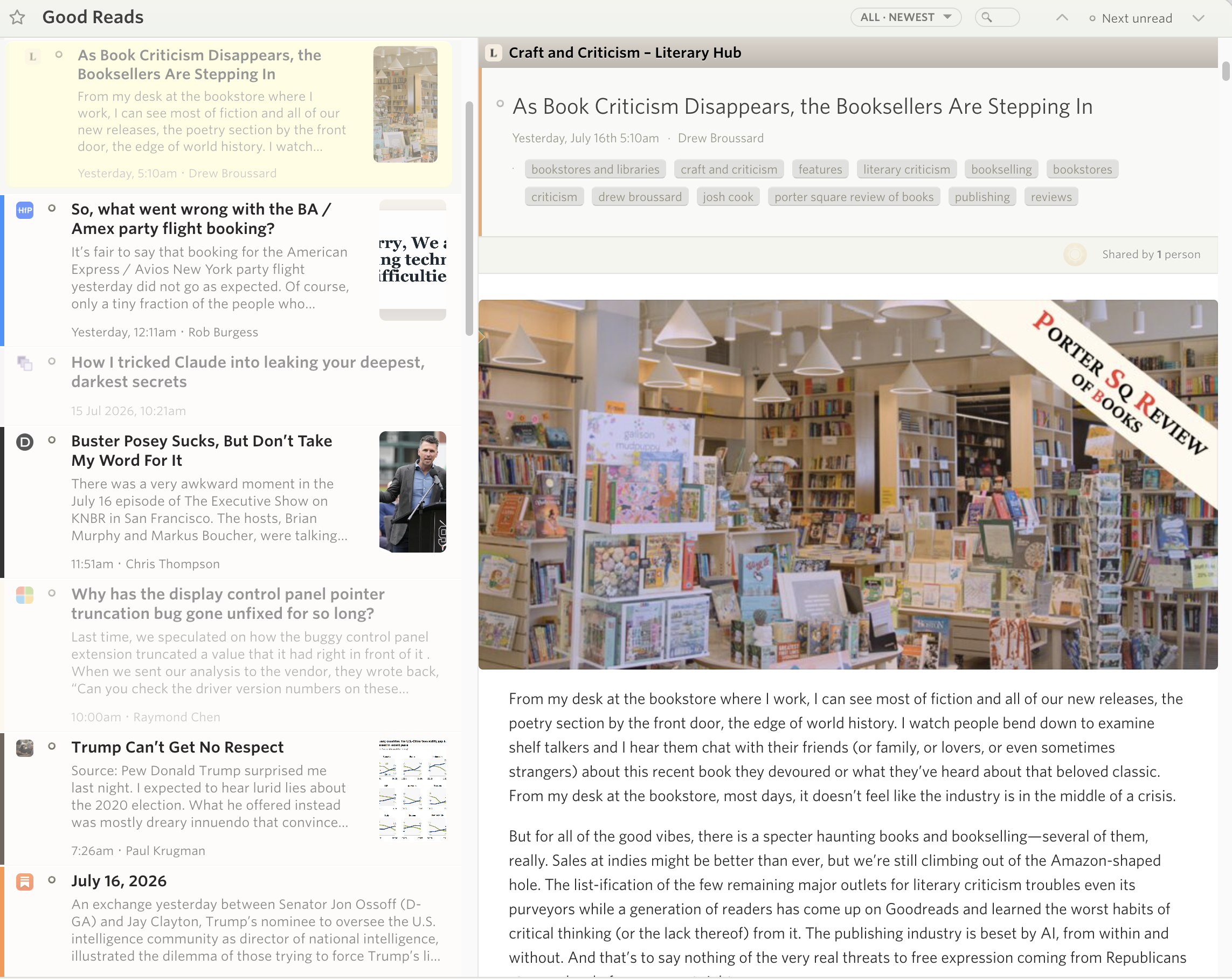
 Good Reads asks what somebody finished and then kept, and leans toward the small sites you have probably never heard of.